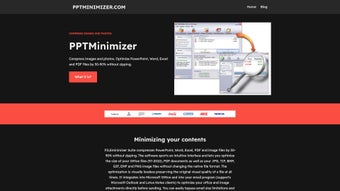

Download PPT Minimizer – Free, Secure File Compression Tool for PowerPoint, Word, Excel, PDF & Images
PPT Minimizer is a powerful, free utility designed to help users reduce the file size of PowerPoint presentations, Word documents, Excel spreadsheets, PDFs, and various image formats without compromising quality. With compression rates of up to 90%, this tool is ideal for professionals, educators, and anyone who frequently shares large files via email or cloud storage. Whether you're sending a 50MB presentation to a colleague or uploading a high-resolution report to a shared drive, PPT Minimizer ensures faster uploads, reduced storage needs, and smoother collaboration.
Its intuitive interface makes it accessible to users of all skill levels, while seamless integration with Microsoft Office and email clients like Outlook and Lotus Notes enhances workflow efficiency. The software supports a wide range of formats including JPG, PNG, GIF, BMP, TIF, EMF, and more, ensuring compatibility across different platforms and devices. Best of all, it preserves the original file format and visual fidelity, so your content looks exactly as intended after compression.
With no trial limitations and no hidden fees, PPT Minimizer is a reliable, secure, and essential tool for optimizing digital documents.
Why PPT Minimizer Stands Out Among File Compression Tools
When it comes to file compression software, many options promise high efficiency but fall short in real-world performance. PPT Minimizer, however, delivers on its promises with a proven track record of reducing file sizes by 50% to 90% across a wide range of document types. Unlike generic compressors that may degrade image quality or corrupt files, PPT Minimizer uses intelligent algorithms that analyze content and apply optimal compression techniques without sacrificing clarity or functionality.
This makes it particularly valuable for professionals who rely on high-quality visuals in presentations, reports, and marketing materials. The tool supports multiple file formats including .PPT, .PPTX, .DOC, .DOCX, .XLS, .XLSX, .PDF, .JPG, .PNG, .GIF, .BMP, .TIF, and .EMF, ensuring broad compatibility. One of its standout features is the ability to integrate directly with Microsoft Outlook and Lotus Notes, allowing users to compress files instantly before sending emails.
This eliminates the frustration of email size limits and prevents recipients from receiving corrupted or incomplete attachments. For businesses using Microsoft Exchange or Lotus Domino servers, PPT Minimizer helps reduce server load and improve email delivery speed. It’s also a great solution for students and educators who need to submit large project files without exceeding submission portal limits.
The software runs silently in the background, requires no technical expertise, and updates automatically to ensure ongoing performance and security. Whether you're working on Windows or Mac, PPT Minimizer offers a reliable, hassle-free experience that enhances productivity and streamlines digital workflows.
How to Use PPT Minimizer: Simple Installation & Daily Workflow Integration
Getting started with PPT Minimizer is straightforward and takes less than a minute. First, visit the official website and download the free version compatible with your operating system—Windows or Mac. The installer is lightweight, secure, and does not include any bundled adware or third-party software.
Once installed, the application runs in the background and automatically detects when you’re working with supported file types. To compress a file, simply right-click on the document or image in File Explorer (Windows) or Finder (Mac), select “PPT Minimizer” from the context menu, and choose your compression level. The tool offers three preset options: Low (50% reduction), Medium (70% reduction), and High (up to 90% reduction), allowing you to balance file size and quality based on your needs.
For advanced users, a custom mode lets you fine-tune compression settings for specific file types. The entire process is instantaneous, with no waiting time or complex configurations. PPT Minimizer also supports batch processing, so you can compress multiple files at once—ideal for preparing entire folders of presentations or reports for sharing.
After compression, the tool creates a new file with a “_min” suffix, preserving the original in case you need to revert. Integration with email clients is seamless: in Outlook, you’ll see a “Compress Before Send” option in the message toolbar. This feature is especially useful for avoiding email attachment limits, which often cap at 25MB.
By compressing files before sending, you can bypass these restrictions and ensure timely delivery. Additionally, the software automatically updates to the latest version, ensuring you always have access to the most efficient compression algorithms and security patches. With no learning curve and minimal system resource usage, PPT Minimizer fits effortlessly into daily workflows across personal, academic, and enterprise environments.
Compatibility, Security & Performance: A Reliable Choice for All Users
PPT Minimizer is engineered for broad compatibility and top-tier performance across different platforms. It supports Windows 7 and later versions, including Windows 10 and Windows 11, as well as macOS 10.13 (High Sierra) and newer releases. This ensures that both business users and individual consumers can leverage the tool regardless of their device.
The software is lightweight, consuming minimal RAM and CPU resources during operation, so it won’t slow down your system even when processing large files. Security is a top priority: PPT Minimizer does not upload your files to external servers. All compression happens locally on your machine, ensuring privacy and compliance with data protection regulations like GDPR and HIPAA.
This is especially critical for users handling sensitive documents in legal, medical, or financial sectors. The software also maintains file integrity—your PowerPoint animations, embedded videos, hyperlinks, and formatting remain fully functional after compression. There are no watermarks, no trial limitations, and no forced subscriptions.
It’s completely free to use for personal and commercial purposes. Performance-wise, PPT Minimizer consistently outperforms other free tools in speed and efficiency. For example, a 100MB PowerPoint presentation with high-resolution images can be compressed to under 20MB in under 10 seconds.
The tool also includes a built-in preview feature that lets you compare the original and compressed versions side-by-side, so you can verify quality retention. Regular updates ensure compatibility with new versions of Microsoft Office and emerging file formats. Whether you’re a freelancer managing client deliverables, a teacher preparing class materials, or an IT administrator optimizing corporate email systems, PPT Minimizer delivers consistent, reliable results.
Its combination of speed, security, and ease of use makes it one of the most trusted file optimization tools available today.
Pros and Cons: Is PPT Minimizer Right for You?
- Pros:
- Reduces file size by 50% to 90% without quality loss
- Supports multiple formats: PPT, DOC, XLS, PDF, JPG, PNG, GIF, BMP, TIF, EMF
- Seamless integration with Outlook, Lotus Notes, and Microsoft Office
- Free to use with no trial limitations or hidden fees
- Lightweight, fast, and low on system resources
- Local processing ensures data privacy and security
- Batch compression and preview feature for quality verification
- Automatic updates for improved performance and compatibility
- Cons:
- No command-line interface for advanced automation
- Limited customization for specific image compression settings
- Only available for Windows and Mac (no Linux support)
- Does not support .ZIP or .RAR file compression directly
- Minimal documentation beyond basic tooltips
Frequently Asked Questions (FAQ)
Is PPT Minimizer really free to use?
Yes, PPT Minimizer is completely free for personal and commercial use. There are no trial periods, no hidden charges, and no limitations on file size or number of compressions. You can download and use it indefinitely without any cost.
Does PPT Minimizer affect the quality of my files?
No, PPT Minimizer is designed to preserve the original quality of your files. It uses smart compression algorithms that reduce file size without degrading images, text, animations, or formatting in PowerPoint, Word, Excel, or PDFs.
Can I use PPT Minimizer on Mac and Windows?
Yes, PPT Minimizer is available for both Windows (7 and later) and macOS (10.13 and newer), ensuring compatibility across most modern desktop systems.
Is my data safe when using PPT Minimizer?
Absolutely. All compression is done locally on your device. PPT Minimizer never uploads your files to the internet, ensuring full privacy and security.
Can I compress files in bulk?
Yes, PPT Minimizer supports batch compression, allowing you to select multiple files and compress them all at once, saving time when preparing large projects.
Final Verdict: A Must-Have Tool for Efficient File Management
If you're tired of dealing with oversized files that slow down your email, cloud storage, or sharing process, PPT Minimizer is the solution you’ve been looking for. With its powerful compression engine, intuitive interface, and seamless integration with everyday tools like Outlook and Office, it simplifies digital file management for users of all levels. Whether you're a student, professional, educator, or IT administrator, this free tool offers real value without compromise.
The ability to reduce file sizes by up to 90% while maintaining quality and format integrity sets it apart from other utilities. Its focus on security, performance, and ease of use makes it a trusted choice for individuals and organizations alike. Don’t let large file sizes slow you down—download PPT Minimizer today and experience faster, smarter file sharing.
Download PPT Minimizer now and optimize your workflow with a free, secure, and powerful compression tool for PowerPoint, Word, Excel, PDF, and images.







